Default Document Recipients
Learn how to set default recipients with various roles for your documents.
Overview
Documenso allows you to set default recipients for your documents. This is useful when you require specific recipients to be added to every document you send.
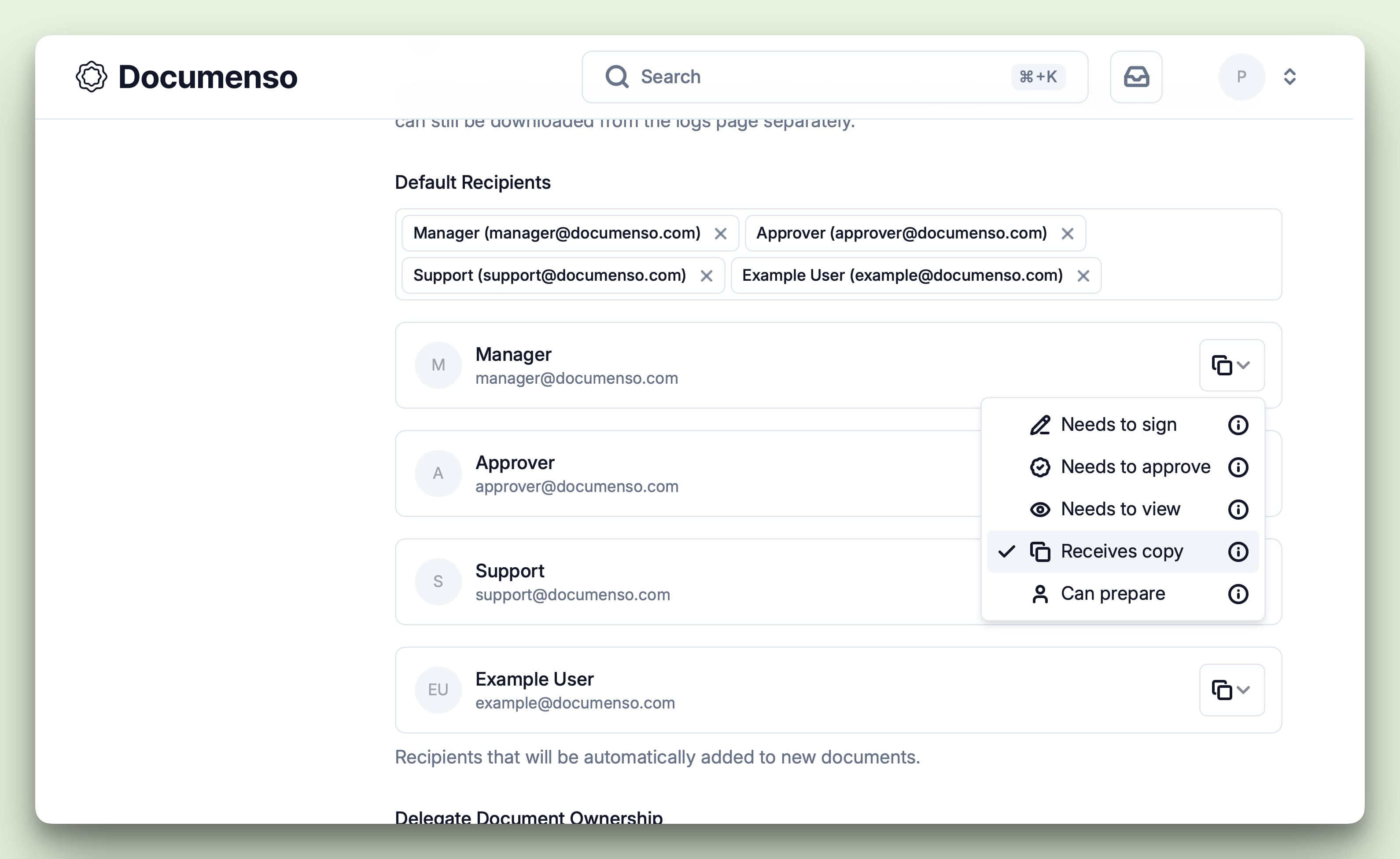
You can add default recipients with the same roles as the recipients you can add when sending a document:
You can set default recipients at the organisation or team level.
Organisation level
To set default recipients at the organisation level, navigate to the organisation settings page and click the "Document" tab under the "Preferences" section.
Then scroll down to the "Default Recipients" section and add the recipients you want to be included in every document you send.
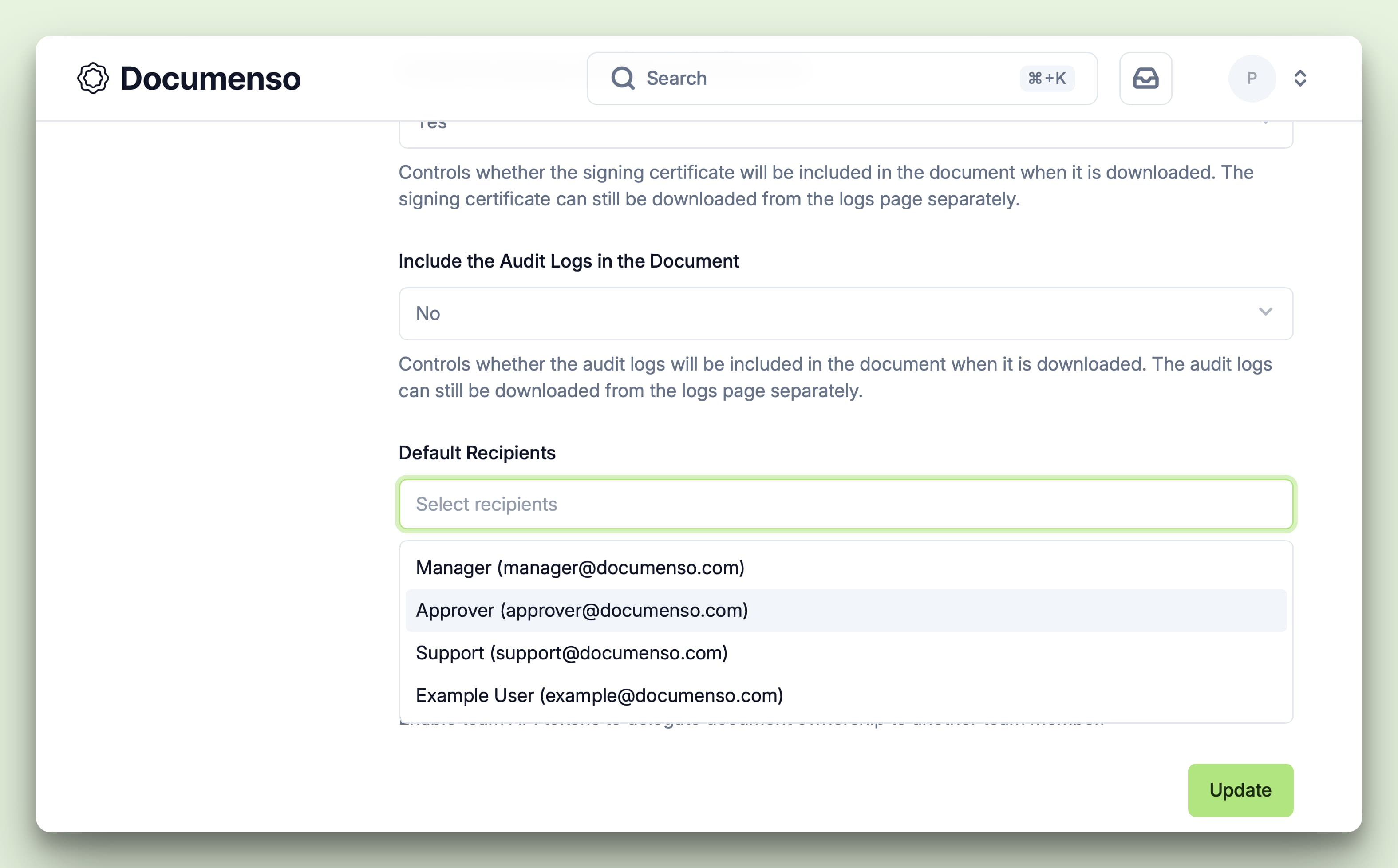
The recipients are added with the "CC" role by default, but you can select a different role for each recipient.
Team level
Setting the default recipients at the team level follows the same process as setting them at the organisation level.
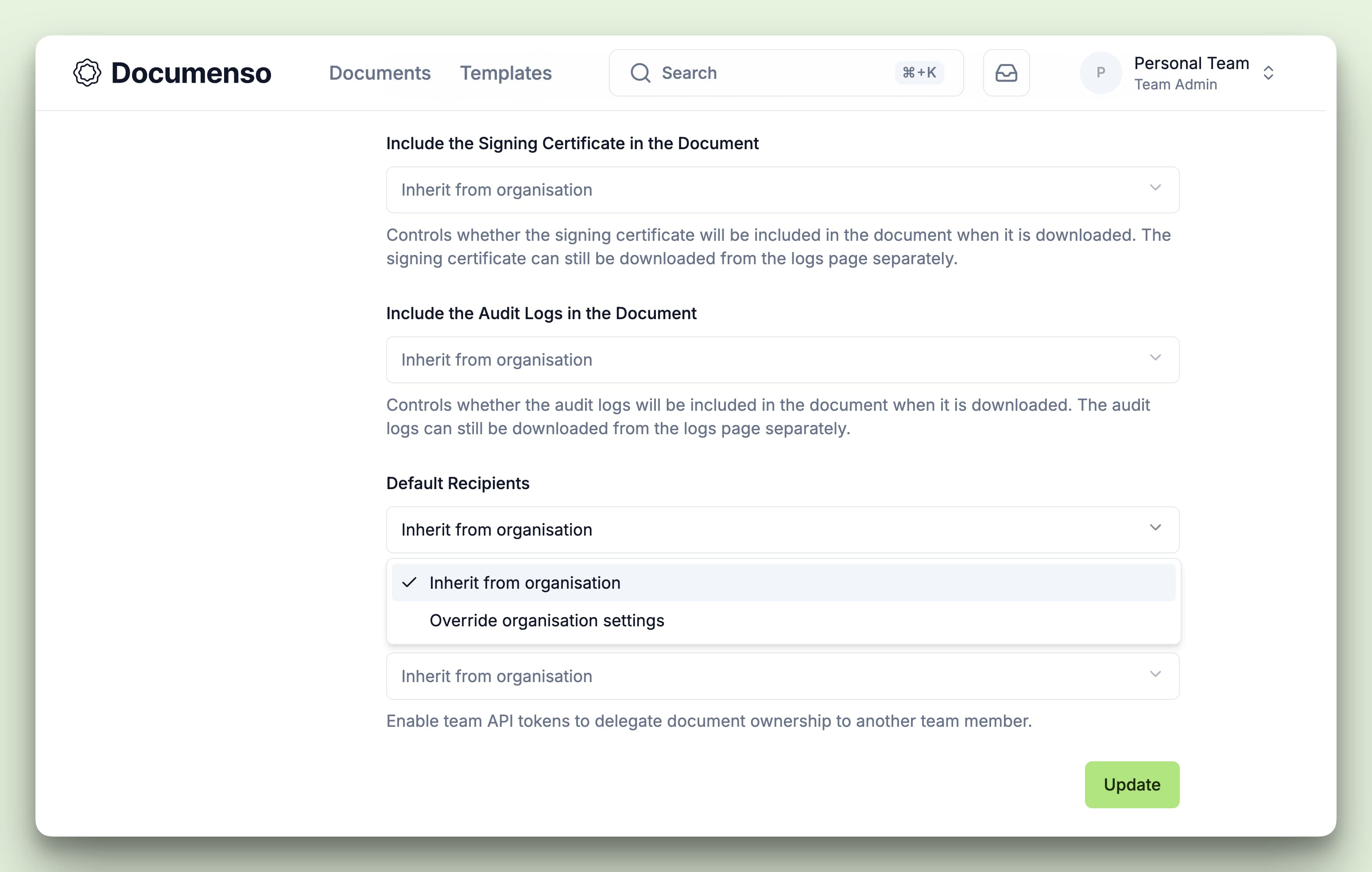
Setting the default recipients at the team level will override organisation-level defaults.
To set default recipients at the team level, navigate to the team settings page and click the "Document" tab under the "Preferences" section.
Then scroll down to the "Default Recipients" section. By default, the team will inherit the default recipients from the organisation. You can override these defaults by adding the recipients you want to be added to every document you send.
See Also
- Add Recipients - Add recipients when sending a document
- Document Preferences - Configure other document defaults
- Recipient Roles - Learn about the different recipient roles