Direct Links
Share a URL or embed an iframe to let users sign documents without email invitations.
What Are Direct Links?
Direct links are unique URLs tied to a template that allow anyone to:
View and sign a document without receiving an email invitation
Enter their own name and email address
Complete signature fields and submit the document
When someone uses a direct link, Documenso creates a new document from the template with that person as the signer.
When to Use Direct Links
- Collecting signatures from unknown recipients (forms, waivers, petitions)
- Embedding signing in your website or application
- Self-service contracts where customers initiate signing
- Public-facing agreements that anyone can sign
Limitations
- Only work with templates, not individual documents
- Each link is tied to one recipient role in the template
- Recipients enter their own information (you cannot prefill recipient details)
Creating Direct Link Templates
Before embedding, you need a template with direct links enabled.
Via the Dashboard
Go to Templates and create or select a template
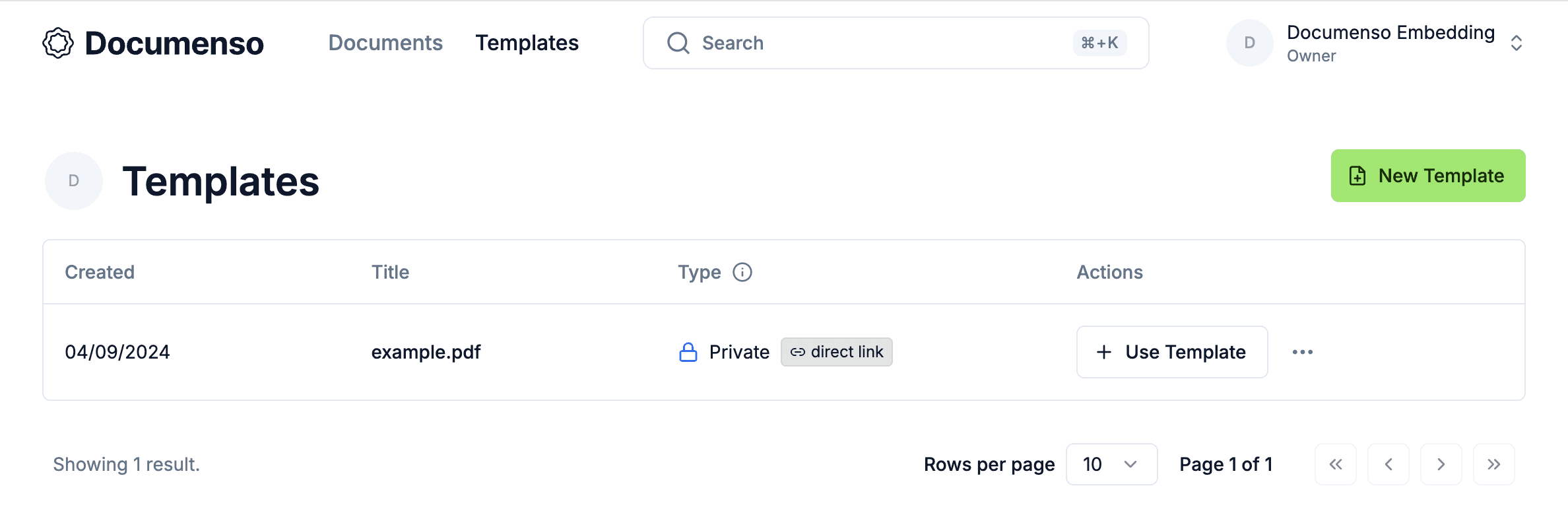
Click the three-dot menu and select Direct link
Click Enable direct link signing
Choose which recipient in your template will use the direct link
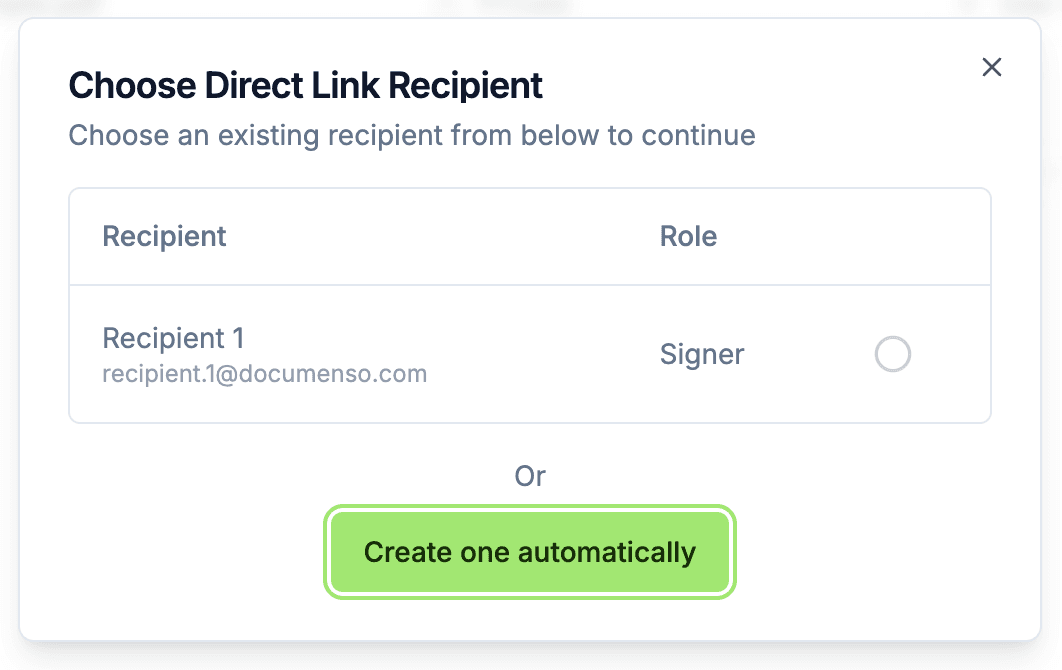
Copy the generated URL
Via the API
Create a direct link for an existing template:
# Create direct link for template
curl -X POST "https://app.documenso.com/api/v2/template/direct/create" \
  -H "Authorization: api_xxxxxxxxxxxxxxxx" \
  -H "Content-Type: application/json" \
  -d '{
    "templateId": 123,
    "directRecipientId": 1
  }'
Response
{
  "id": 456,
  "token": "abc123xyz",
  "templateId": 123,
  "directTemplateRecipientId": 1,
  "enabled": true,
  "createdAt": "2025-01-15T10:00:00.000Z"
}
The direct link URL format is:
https://app.documenso.com/d/{token}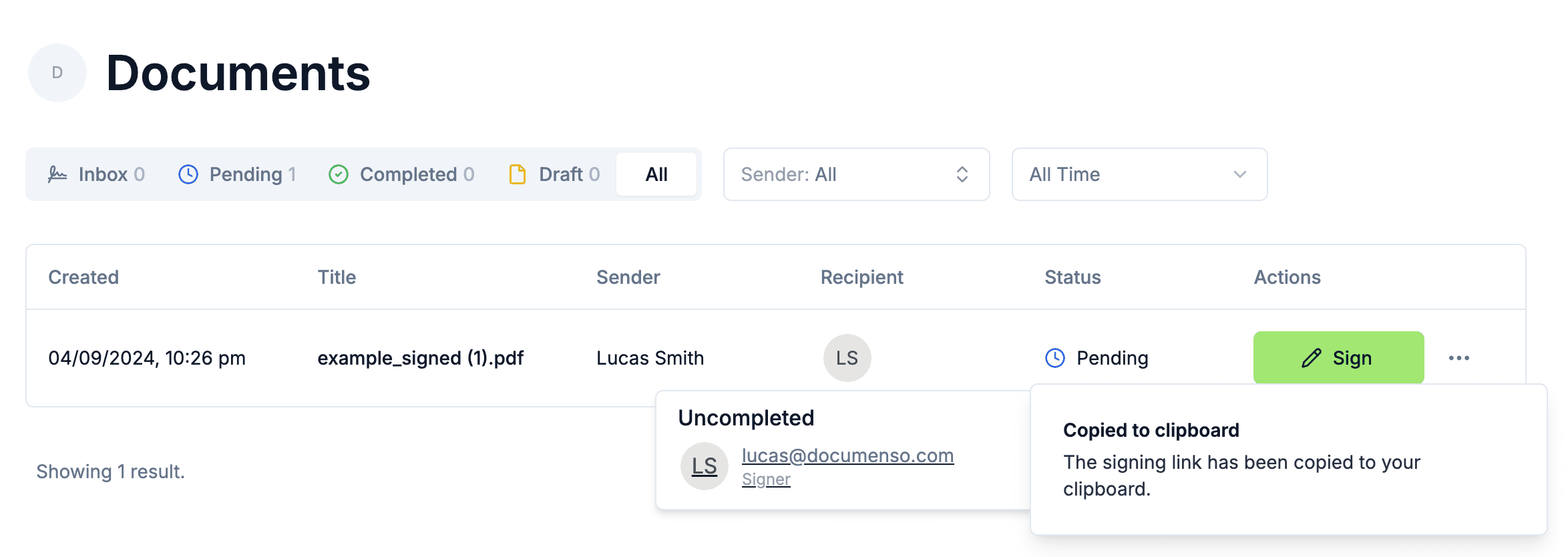
Embedding in an iframe
Embed the signing experience directly in your application using an iframe.
Basic iframe Embedding
<iframe
  src="https://app.documenso.com/embed/direct/abc123xyz"
  width="100%"
  height="800"
  frameborder="0"
  allow="clipboard-write"
></iframe>
Responsive iframe
<div style="position: relative; width: 100%; padding-bottom: 75%; height: 0; overflow: hidden;">
  <iframe
    src="https://app.documenso.com/embed/direct/abc123xyz"
    style="position: absolute; top: 0; left: 0; width: 100%; height: 100%; border: none;"
    allow="clipboard-write"
  ></iframe>
</div>
React Component Example
function DocumentSigner({ token }: { token: string }) {
  return (
    <div className="h-[800px] w-full">
      <iframe
        src={`https://app.documenso.com/embed/direct/${token}`}
        className="h-full w-full border-0"
        allow="clipboard-write"
        title="Sign Document"
      />
    </div>
  );
}
The embed URL uses /embed/direct/{token} instead of /d/{token}. The embed version is optimized
for iframe embedding with reduced navigation.
Embedding with Redirect
Instead of an iframe, redirect users to the signing page and bring them back after completion.
Simple Redirect
function redirectToSigning(token: string) {
  window.location.href = `https://app.documenso.com/d/${token}`;
}
With Return URL
Configure a redirect URL in your template settings to return users to your application after signing:
Edit your template
Go to Advanced Settings
Set Redirect URL to your desired return URL (e.g., https://yourapp.com/signed)
Or set it via API when creating the template:
const response = await fetch(`${BASE_URL}/template/update`, {
  method: 'POST',
  headers: {
    Authorization: API_TOKEN,
    'Content-Type': 'application/json',
  },
  body: JSON.stringify({
    templateId: 123,
    meta: {
      redirectUrl: 'https://yourapp.com/signing-complete',
    },
  }),
});
After signing completes, users are automatically redirected to the specified URL.
URL Parameters
Pass additional data through the direct link URL using query parameters.
External ID
Track which document belongs to which transaction in your system:
https://app.documenso.com/d/abc123xyz?externalId=order-12345The external ID is stored with the created document and included in webhook payloads.
Example: Dynamic External ID
function getSigningUrl(token: string, orderId: string) {
  const params = new URLSearchParams({
    externalId: orderId,
  });

  return `https://app.documenso.com/d/${token}?${params.toString()}`;
}

// Usage
const url = getSigningUrl('abc123xyz', 'order-12345');
// https://app.documenso.com/d/abc123xyz?externalId=order-12345
Embed URL Parameters
The embed URL supports the same parameters:
https://app.documenso.com/embed/direct/abc123xyz?externalId=order-12345Security Considerations
Access Authentication
Direct links can require authentication before signing. Configure this in your template settings:
| Auth Type | Description |
|---|---|
| None | Anyone with the link can sign |
| Account | Signer must be logged into a Documenso account |
To require authentication, set globalAccessAuth when creating or updating the template:
const response = await fetch(`${BASE_URL}/template/update`, {
  method: 'POST',
  headers: {
    Authorization: API_TOKEN,
    'Content-Type': 'application/json',
  },
  body: JSON.stringify({
    templateId: 123,
    data: {
      globalAccessAuth: ['ACCOUNT'], // Require login
    },
  }),
});
Disabling Direct Links
Temporarily disable a direct link without deleting it:
curl -X POST "https://app.documenso.com/api/v2/template/direct/toggle" \
  -H "Authorization: api_xxxxxxxxxxxxxxxx" \
  -H "Content-Type: application/json" \
  -d '{
    "templateId": 123,
    "enabled": false
  }'
Re-enable later by setting enabled: true. The URL remains the same.
Deleting Direct Links
Permanently remove a direct link:
curl -X POST "https://app.documenso.com/api/v2/template/direct/delete" \
  -H "Authorization: api_xxxxxxxxxxxxxxxx" \
  -H "Content-Type: application/json" \
  -d '{
    "templateId": 123
  }'
Deleting a direct link invalidates the URL permanently. If you enable direct links again, a new URL will be generated.
Styling and Customization
Branding
The signing experience uses your organisation's branding settings:
- Logo
- Primary color
- Email customization
Configure branding in Settings > Branding or via team settings.
Signature Options
Control which signature input methods are available:
const response = await fetch(`${BASE_URL}/template/update`, {
  method: 'POST',
  headers: {
    Authorization: API_TOKEN,
    'Content-Type': 'application/json',
  },
  body: JSON.stringify({
    templateId: 123,
    meta: {
      typedSignatureEnabled: true, // Allow typed signatures
      drawSignatureEnabled: true, // Allow drawn signatures
      uploadSignatureEnabled: false, // Disable uploaded signatures
    },
  }),
});
White-labeling
Enterprise plans support white-label embedding with the "Powered by Documenso" badge removed. Contact sales for details.
Handling Completion
Webhook Notifications
Set up webhooks to receive notifications when documents are signed:
{
  "event": "DOCUMENT_SIGNED",
  "payload": {
    "id": 123,
    "externalId": "order-12345",
    "title": "contract.pdf",
    "status": "COMPLETED",
    "Recipient": [
      {
        "email": "signer@example.com",
        "name": "John Doe",
        "signingStatus": "SIGNED",
        "signedAt": "2024-01-15T10:30:00.000Z"
      }
    ]
  },
  "createdAt": "2024-01-15T10:30:00.000Z",
  "webhookEndpoint": "https://your-endpoint.com/webhook"
}
See Webhooks for setup instructions.
Polling for Status
If webhooks aren't suitable, poll the document status:
async function checkDocumentStatus(externalId: string) {
  const response = await fetch(`${BASE_URL}/envelope?source=TEMPLATE_DIRECT_LINK`, {
    headers: { Authorization: API_TOKEN },
  });

  const { data } = await response.json();

  return data.find((doc) => doc.externalId === externalId);
}
Complete Example
This example shows a complete workflow for embedding direct link signing:
const API_TOKEN = process.env.DOCUMENSO_API_TOKEN;
const BASE_URL = 'https://app.documenso.com/api/v2';

// 1. Get template with direct link
async function getDirectLinkTemplate(templateId: number) {
  const response = await fetch(`${BASE_URL}/template/${templateId}`, {
    headers: { Authorization: API_TOKEN },
  });

  return response.json();
}

// 2. Create direct link if not exists
async function ensureDirectLink(templateId: number, recipientId: number) {
  const template = await getDirectLinkTemplate(templateId);

  if (template.directLink?.enabled) {
    return template.directLink.token;
  }

  const response = await fetch(`${BASE_URL}/template/direct/create`, {
    method: 'POST',
    headers: {
      Authorization: API_TOKEN,
      'Content-Type': 'application/json',
    },
    body: JSON.stringify({
      templateId,
      directRecipientId: recipientId,
    }),
  });

  const directLink = await response.json();
  return directLink.token;
}

// 3. Generate signing URL with tracking
function getEmbedUrl(token: string, orderId: string) {
  const params = new URLSearchParams({ externalId: orderId });
  return `https://app.documenso.com/embed/direct/${token}?${params}`;
}

// Usage
const token = await ensureDirectLink(123, 1);
const embedUrl = getEmbedUrl(token, 'order-12345');

// Embed in your page
document.getElementById('signer-frame').src = embedUrl;
See Also
- SDKs - Framework SDK integration
- Templates API - Template management
- Webhooks - Event notifications
- Direct Links (User Guide) - End-user documentation