Embedding
Embed document signing experiences directly in your application using official SDKs.
Embedded Signing vs Embedded Editor
Documenso offers two types of embedding:
- Embedded Signing lets you embed the signing experience in your application. Your users sign documents without leaving your site. Available on Teams Plan and above.
- Embedded Editor lets you embed document and template creation and editing in your application. This is an Enterprise feature (also available as a Platform Plan add-on). See the Editor guide.
This page covers embedded signing. If you need your users to create or edit documents inside your app, see Editor.
Availability
Embedding is available on Teams Plan and above, as well as for Early Adopters within a team (Early Adopters can create a team for free).
The Platform Plan adds enhanced customization:
- Custom CSS and styling variables
- Dark mode controls
- Removal of Documenso branding
How It Works
There are two ways to embed signing, each using a different component and token type.
Direct Templates
Direct templates are evergreen - each time a user completes signing, a new document is created from the template. This is the recommended approach for most use cases.
Use the EmbedDirectTemplate component with a template token:
import { EmbedDirectTemplate } from '@documenso/embed-react';

<EmbedDirectTemplate
  token="your-template-token"
  onDocumentCompleted={(data) => {
    console.log('Signed:', data.documentId);
  }}
/>;
Signing Tokens
For advanced integrations where you create documents via the API, you can embed the signing experience for a specific recipient using their signing token.
Use the EmbedSignDocument component with the recipient's token:
import { EmbedSignDocument } from '@documenso/embed-react';

<EmbedSignDocument
  token="recipient-signing-token"
  onDocumentCompleted={(data) => {
    console.log('Signed:', data.documentId);
  }}
/>;
For most use cases, direct templates are the way to go. Use signing tokens when you need programmatic control over document creation via the API.
Getting Your Token
Direct Template Token
Navigate to your team's templates in Documenso
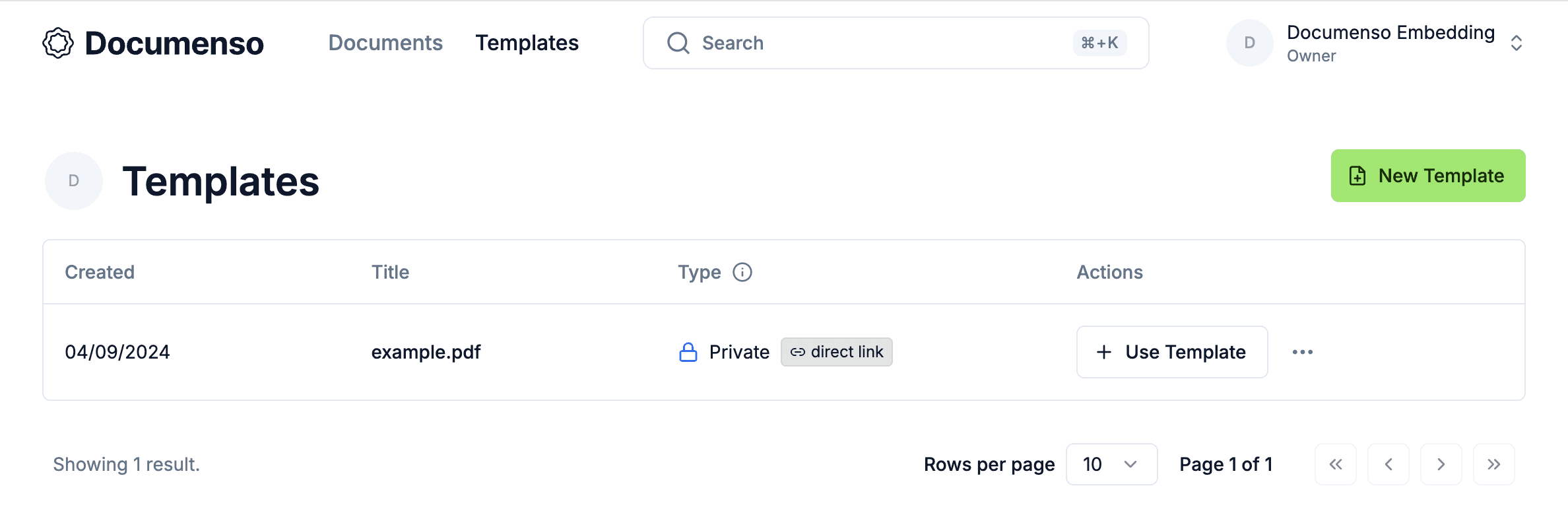
Click on a direct link template to copy its URL. The token is the last segment of the URL.
For example, https://app.documenso.com/d/-WoSwWVT-fYOERS2MI37k has the token -WoSwWVT-fYOERS2MI37k.
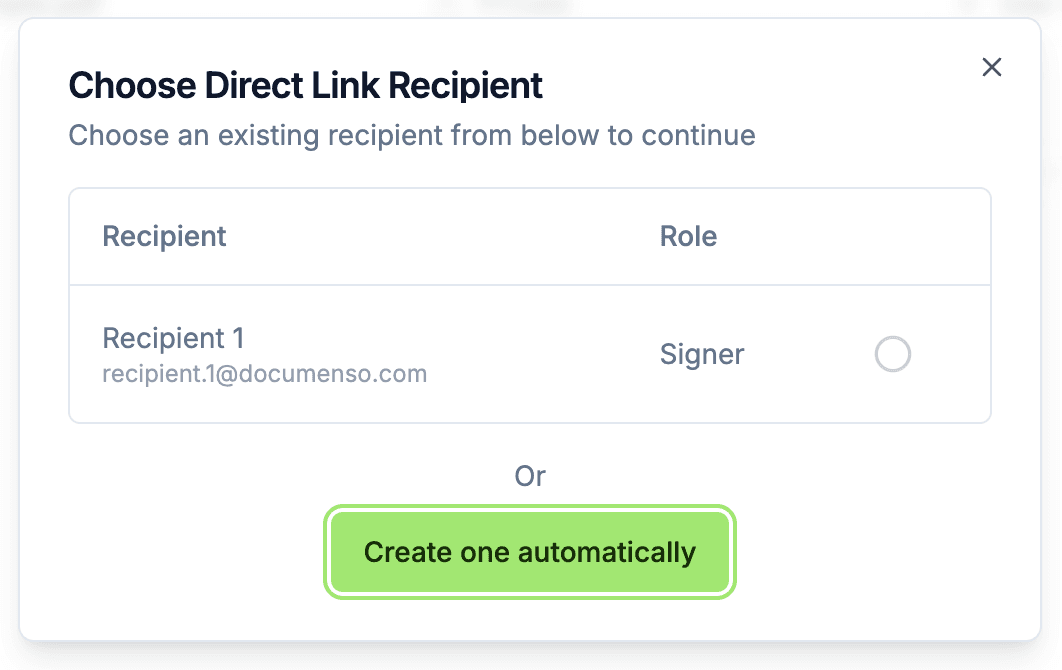
If your template is not a direct link template yet, select Direct Link from the three-dot menu on the templates table to enable it.
Signing Token
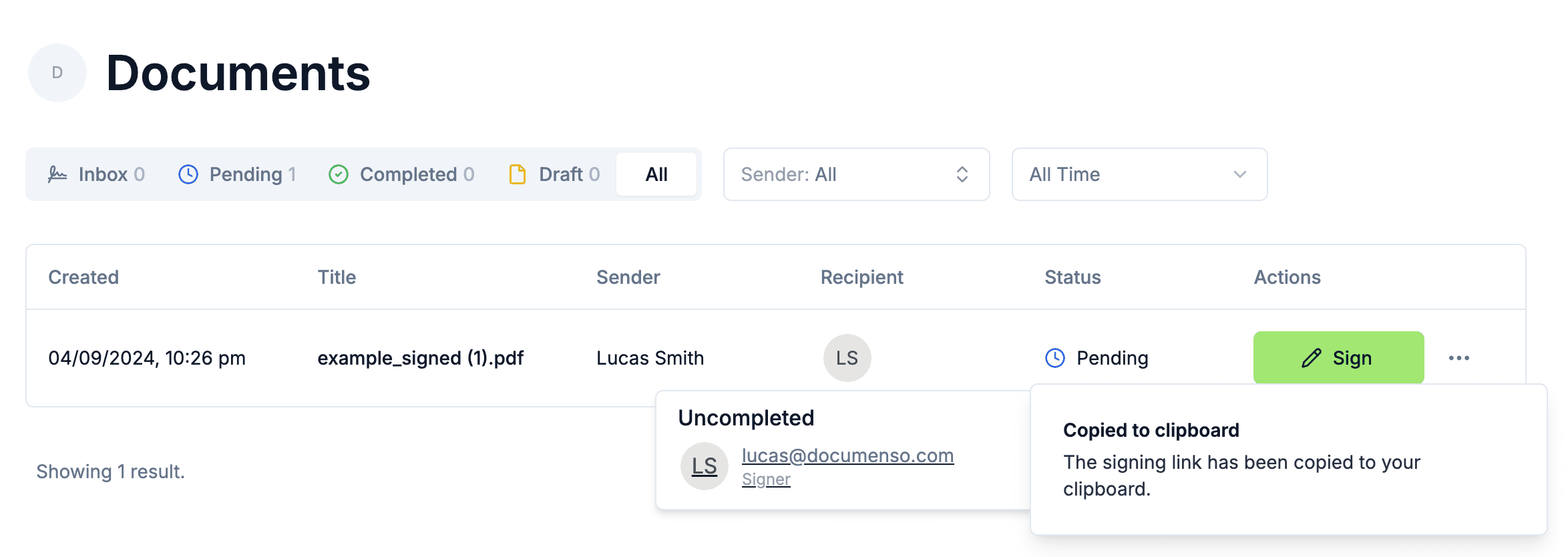
Signing tokens are returned in API responses when distributing a document. You can also get one manually by hovering over a recipient's avatar on a document you own and clicking their email.
Framework SDKs
Pick your framework to get started:
React
@documenso/embed-react
Vue
@documenso/embed-vue
Svelte
@documenso/embed-svelte
Angular
@documenso/embed-angular
Solid
@documenso/embed-solid
Preact
@documenso/embed-preact
A Web Components SDK (@documenso/embed-webcomponent) is also available for use outside of JavaScript frameworks. It works in any environment that supports custom elements.
If you prefer not to use any SDK, you can embed signing using Direct Links with a plain iframe or redirect.
Props
EmbedDirectTemplate
| Prop | Type | Description |
|---|---|---|
token | string | Required. The direct template token. |
host | string | Documenso instance URL. Defaults to https://app.documenso.com. |
name | string | Pre-fill the signer's name. |
lockName | boolean | Prevent the signer from changing their name. |
email | string | Pre-fill the signer's email. |
lockEmail | boolean | Prevent the signer from changing their email. |
externalId | string | Your reference ID, stored with the created document. |
css | string | Custom CSS string (Platform Plan). |
cssVars | object | CSS variable overrides for theming (Platform Plan). |
darkModeDisabled | boolean | Disable dark mode in the embed (Platform Plan). |
language | string | Set the UI language. See Supported Languages. |
onDocumentReady | function | Called when the document is loaded and ready. |
onDocumentCompleted | function | Called when signing is completed. |
onDocumentError | function | Called when an error occurs. |
onFieldSigned | function | Called when a field is signed. |
onFieldUnsigned | function | Called when a field value is cleared. |
EmbedSignDocument
| Prop | Type | Description |
|---|---|---|
token | string | Required. The recipient's signing token. |
host | string | Documenso instance URL. Defaults to https://app.documenso.com. |
name | string | Pre-fill the signer's name. |
lockName | boolean | Prevent the signer from changing their name. |
language | string | Set the UI language. See Supported Languages. |
onDocumentReady | function | Called when the document is loaded and ready. |
onDocumentCompleted | function | Called when signing is completed. |
onDocumentError | function | Called when an error occurs. |
Event Callbacks
onDocumentCompleted
Receives an object with:
| Field | Type | Description |
|---|---|---|
token | string | The token used for signing. |
documentId | number | The ID of the signed document. |
recipientId | number | The ID of the recipient. |
onFieldSigned
Receives an object with:
| Field | Type | Description |
|---|---|---|
fieldId | number | The ID of the field. |
value | string | The field value. |
isBase64 | boolean | Whether the value is a base64 encoded image. |
onFieldUnsigned
Receives an object with:
| Field | Type | Description |
|---|---|---|
fieldId | number | The ID of the field. |
More
Direct Links
Embed with iframes or redirects, no SDK required.
CSS Variables
Customize colors, spacing, and theming.
Editor
Embed document and template creation.
See Also
- Documents API - Create documents programmatically
- Templates API - Manage templates via API
- Webhooks - Receive server-side signing notifications