Developer Mode
Advanced development tools for debugging field IDs, recipient IDs, coordinates and integrating with the Documenso API.
Overview
Developer mode provides additional tools and features to help you integrate and debug Documenso.
Field Information
When enabled, developer mode displays the following information for each field:
- Field ID - The unique identifier of the field
- Recipient ID - The ID of the recipient assigned to the field
- Pos X / Pos Y - The position of the field on the page
- Width / Height - The dimensions of the field
To enable developer mode, add the devmode=true query parameter to the editor URL.
# Legacy editor

https://app.documenso.com/t/<team-url>/documents/<envelope-id>/legacy_editor?devmode=true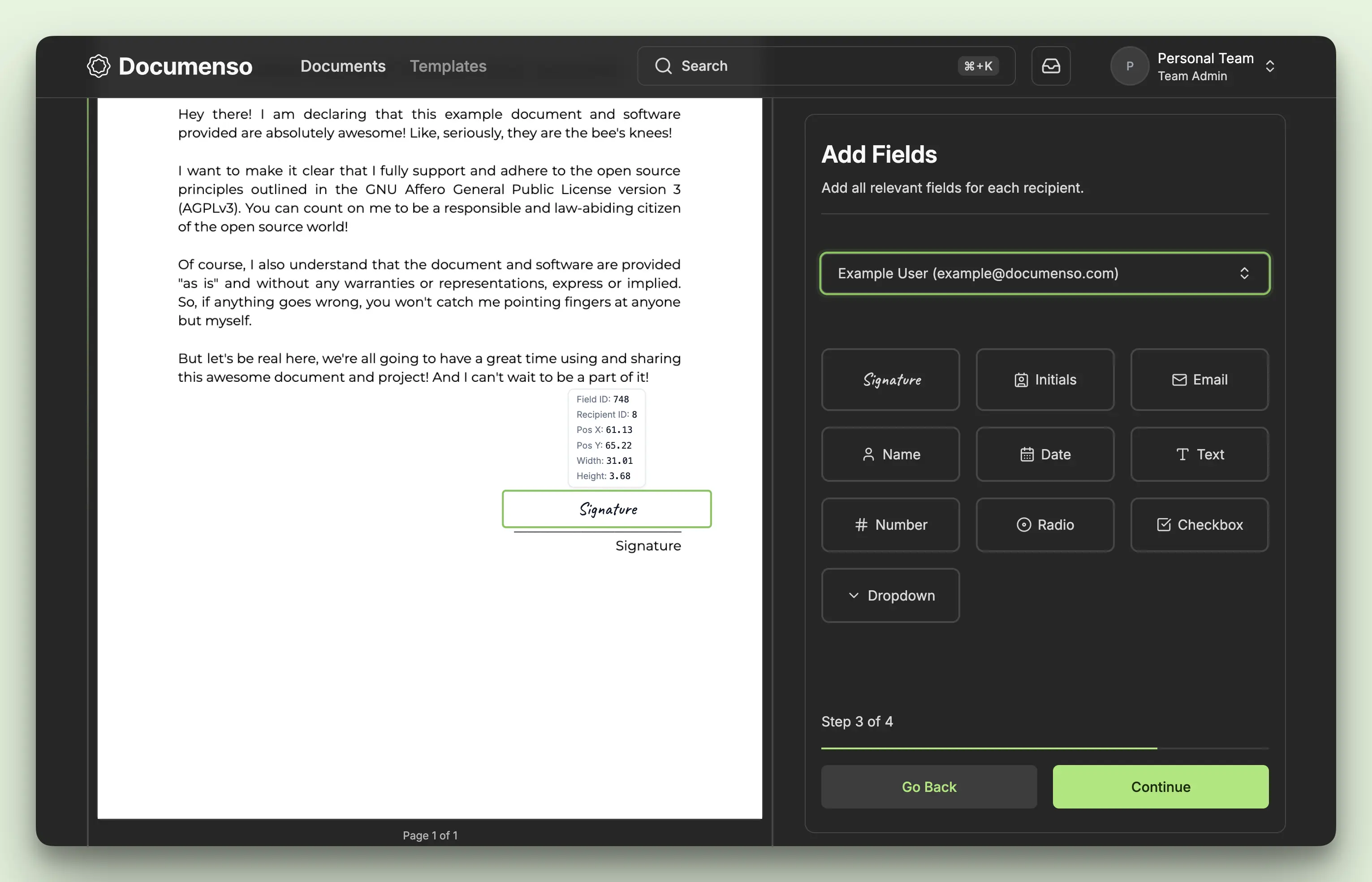
# New editor

https://app.documenso.com/t/<team-url>/documents/<envelope-id>/edit?step=addFields&devmode=true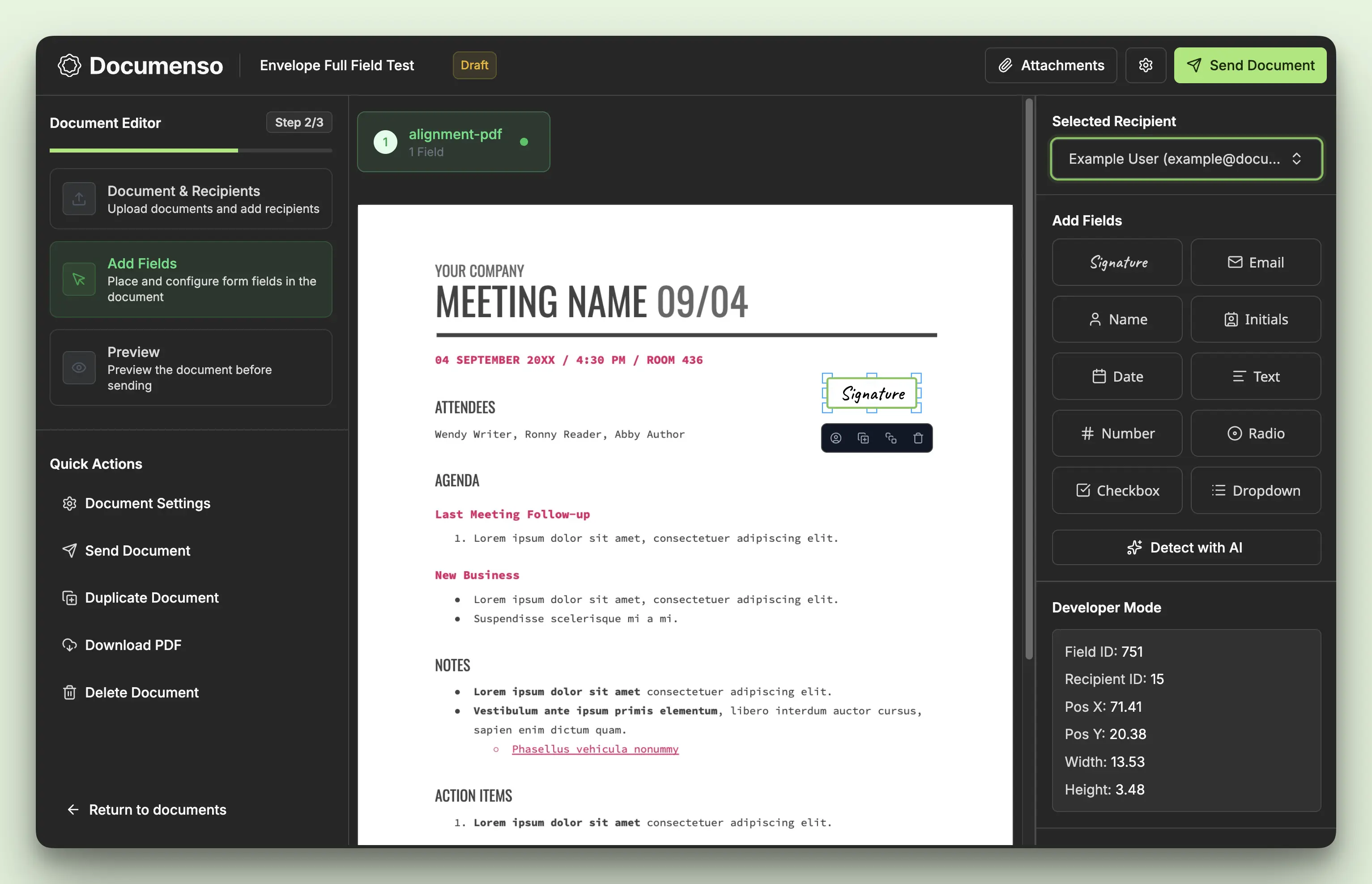
See Also
- Fields API - Create and position fields via API
- Field Types - Detailed field type reference