Authentication
Generate an API key and authenticate your requests.
Prerequisites
- A Documenso account (cloud or self-hosted)
- A Documenso account on any plan (Free, Individual, Team, or Enterprise)
Free accounts include API access with a limit of 5 documents per month. Upgrade to a paid plan for higher limits.
Create an API Token
Select a team
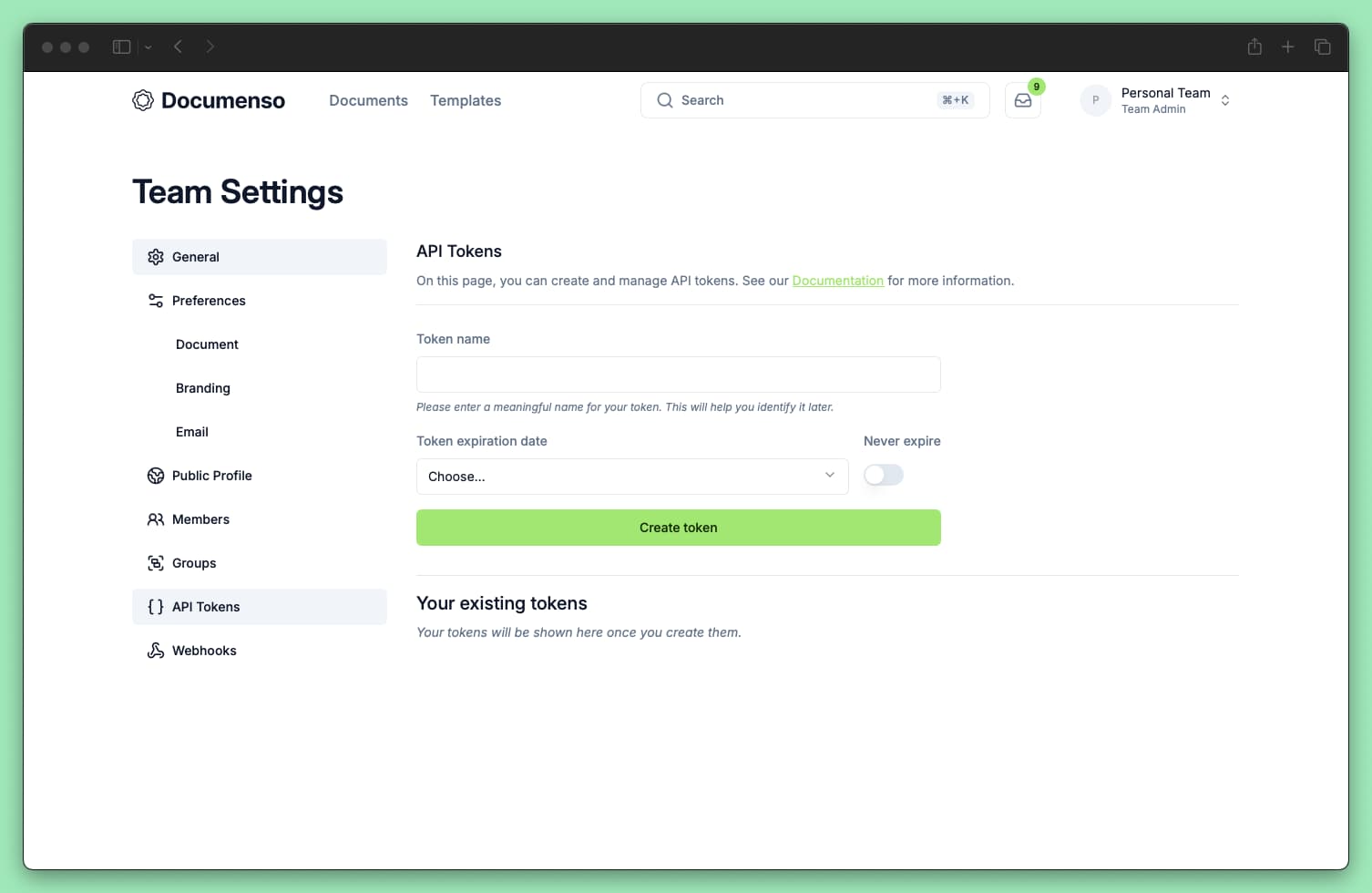
Log in to Documenso and open the team that the integration should access. API tokens are scoped to a team.
Open API Tokens
Go to Team Settings → API Tokens, or open
/t/{teamUrl}/settings/tokens after replacing {teamUrl} with your team's URL.
Generate a new token
- Click Create Token
- Enter a descriptive name (e.g.,
production-backend,zapier-integration) - Select an expiration period: 7 days, 1 month, 3 months, 6 months, 12 months, or Never
- Click Create Token
Copy your token
Your token is displayed once after creation. Copy it immediately and store it securely.
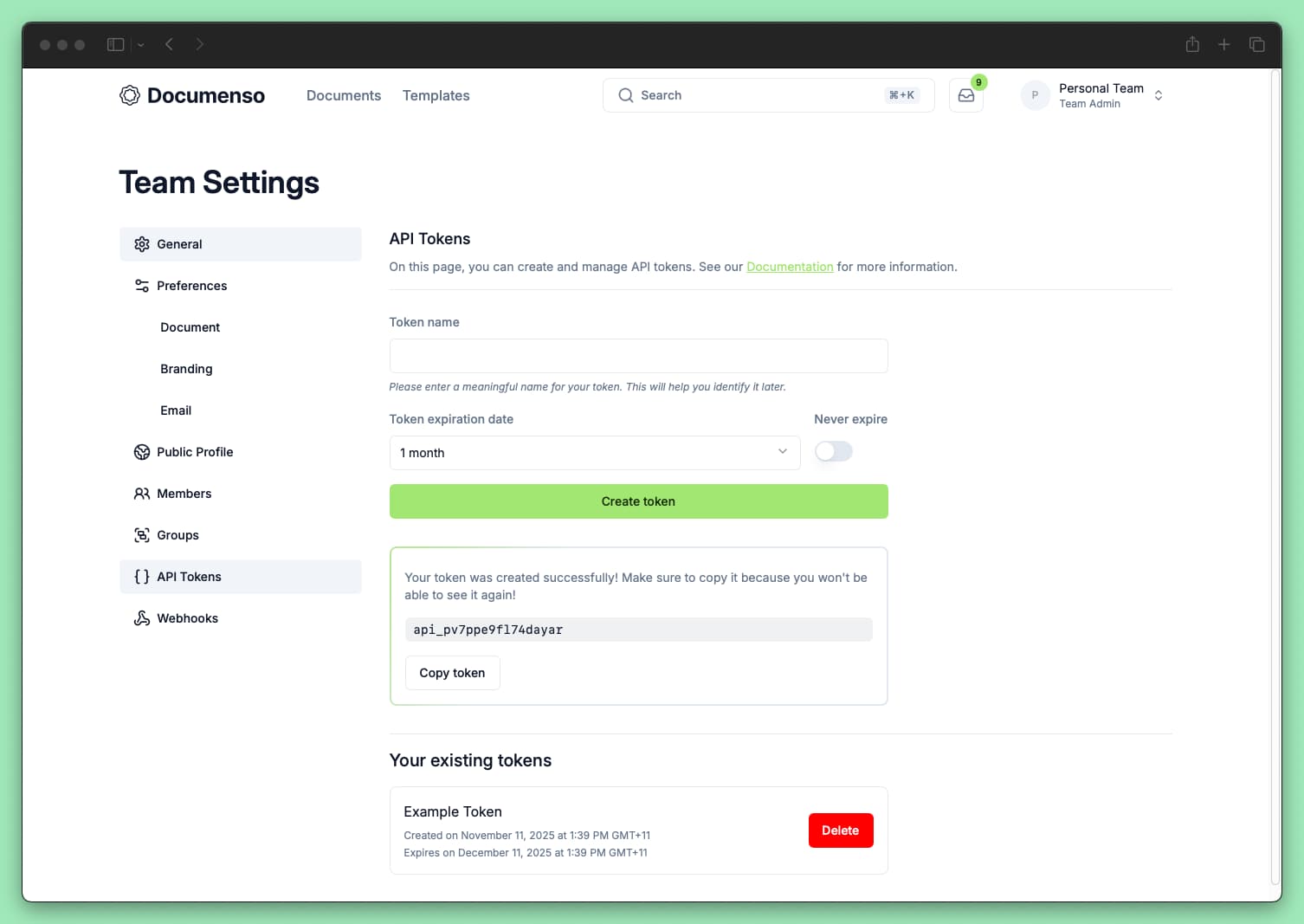
You cannot view the token again after leaving this page. If you lose it, you must create a new token.
Using Your Token
Include the token in the Authorization header of your HTTP requests.
cURL
curl https://app.documenso.com/api/v2/envelope \
  -H "Authorization: api_xxxxxxxxxxxxxxxx"
JavaScript / TypeScript
const response = await fetch('https://app.documenso.com/api/v2/envelope', {
  method: 'GET',
  headers: {
    Authorization: 'api_xxxxxxxxxxxxxxxx',
  },
});

const envelopes = await response.json();
Using the TypeScript SDK
Documenso provides official SDKs that handle authentication for you:
import { Documenso } from '@documenso/sdk-typescript';

const client = new Documenso({
  apiKey: 'api_xxxxxxxxxxxxxxxx',
});

const documents = await client.documents.find();
SDKs are available for TypeScript, Python, and Go.
API Base URLs
| Environment | Base URL |
|---|---|
| Production | https://app.documenso.com/api/v2 |
| Staging | https://stg-app.documenso.com/api/v2 |
| Self-hosted | https://your-domain.com/api/v2 |
API V1 is deprecated. Use V2 for all new integrations. V1 only works with legacy documents created before the envelope system. If you need V1 documentation for migration purposes, see the V1 OpenAPI reference.
The API is available on all plans, including Free (5 documents per month). Fair Use applies to all API usage.
Token Security
API tokens grant full API access to the team they were created for. Follow these practices to keep them secure:
- Never commit tokens to version control. Use environment variables instead.
- Use descriptive names. Names like
zapier-prodorbackend-staginghelp you identify token usage. - Set expiration dates. Shorter expiration periods reduce risk if a token is compromised.
- Rotate tokens regularly. Create new tokens and revoke old ones periodically.
- Use separate tokens per integration. If one is compromised, you only need to revoke that specific token.
- Revoke unused tokens. Delete tokens you no longer need from the API Tokens settings page.
Environment Variables
Store your token in an environment variable rather than hardcoding it:
# .env (do not commit this file)
DOCUMENSO_API_KEY=api_xxxxxxxxxxxxxxxx
const client = new Documenso({
apiKey: process.env.DOCUMENSO_API_KEY,
});Token Scope
API tokens have full API access to the team they were created for, including:
- Creating, reading, updating, and deleting documents
- Managing recipients and fields
- Accessing templates
There is currently no way to create tokens with limited scopes or permissions.
Revoking a Token
To revoke a token:
Go to Team Settings → API Tokens
Find the token you want to revoke
Click the delete icon next to the token
Confirm the deletion
Revoked tokens stop working immediately. Any integrations using that token will receive 401 Unauthorized errors.
Troubleshooting
Next Steps
- Make your first API call - Create a document via the API
- API Reference - Explore available endpoints